For years, Google Search Console has been one of the most important tools available to website owners and SEO professionals.
It gives us a window into how websites perform in Google Search, showing which queries generate impressions, where clicks originate and how visibility changes over time.
As consumers increasingly turn to AI platforms to research products, compare services and make purchasing decisions, businesses have been missing something similar for ChatGPT.
That changed on 10 November 2026.
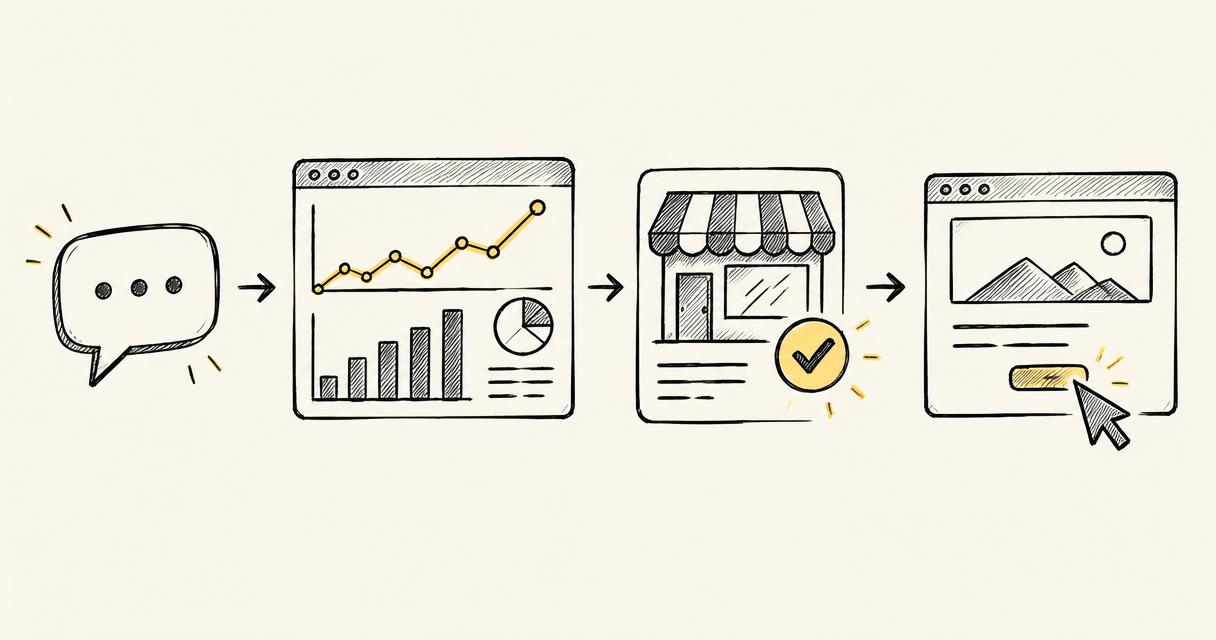
OpenAI has officially launched Businesses in ChatGPT, introducing a new Business Hub where eligible organisations can claim and verify their business, manage the information ChatGPT has about them and access first-party analytics showing how people interact with their business.
It's not a direct equivalent of Google Search Console, but it's an important first step towards something the SEO industry has been asking for: greater transparency into how brands appear and perform in AI search.
And businesses can start using it now.
What is ChatGPT Business Hub?
ChatGPT Business Hub is a new platform from OpenAI that allows eligible businesses to take greater ownership of their presence within ChatGPT.
Until now, businesses have largely relied on ChatGPT discovering and interpreting information from their websites, third-party sources and other information available to its systems.
Although that remains an important part of how ChatGPT works, Business Hub introduces a more direct relationship between businesses and the platform.
For the first time, organisations can officially claim their business and provide OpenAI with verified information about their operations.
The platform introduces three particularly important capabilities.
1. Claim and verify your business
Businesses can claim their existing ChatGPT listing or, where eligible, create a new business profile.
Once ownership and identity have been verified, they can maintain information including:
- Company name, website and business description
- Products and services
- Business categories
- Brand logos and imagery
- Delivery and returns policies
- Product information, pricing and availability
A verified business profile displays a blue checkmark, indicating that the organisation has completed OpenAI's verification process.
This introduces a new responsibility for businesses: ensuring that information provided directly to AI platforms is accurate, consistent and up to date.
2. Access ChatGPT visibility and engagement analytics
This is arguably the most interesting part of the announcement for SEO professionals.
Business Hub includes an Insights dashboard providing aggregated information about how people discover and interact with businesses in ChatGPT.
The initial reporting includes three principal metrics.
Mentions
How often ChatGPT references your business in supported experiences.
For online businesses, this is based on references to the business's website. For local businesses, displayed business results can also count as mentions.
Website clicks
The number of times users click through from ChatGPT to your website.
This provides businesses with first-party information about engagement originating from ChatGPT.
Discovery topics
The common subjects and themes associated with ChatGPT responses in which your business appears.
For example, an insurance provider might discover that its website is frequently referenced in conversations relating to travel insurance for older travellers, pre-existing medical conditions or particular destinations.
These insights can help businesses understand which areas of their offering are being discovered through AI.
Reporting currently covers the previous 28 days, with information aggregated to protect user privacy.
3. Connect product feeds and create Business Agents
OpenAI is also introducing functionality that moves beyond traditional search visibility.
Retailers can provide structured product feeds containing information such as product descriptions, prices and availability.
Shopify merchants can connect their existing store, while other eligible businesses can provide supported product feeds directly.
Alongside this, OpenAI has introduced Business Agents.
These allow customers to interact with an AI assistant representing a particular business within ChatGPT.
Imagine somebody researching a new coffee machine.
Rather than simply reading a recommendation, they could open the business's ChatGPT profile and ask its Business Agent questions about product specifications, compatibility, availability or returns policies.
The assistant can respond using information provided by the business.
At launch, Business Agents are available to eligible ecommerce and online service businesses in the United States. The wider Business Hub has broader availability.
Importantly, Business Agents are separate from ChatGPT's independent answers and recommendations.
How to claim your business in ChatGPT
OpenAI has made the initial process relatively straightforward, although there are several verification stages.
Here's how to get started.
Step 1: Visit ChatGPT Business Hub
Open the new platform:
Sign in using your existing ChatGPT account.
You don't need an advertising account, a Shopify store or a ChatGPT Enterprise subscription to claim an eligible business.
Step 2: Find your business
Once inside Business Hub, search for your company by name.
If ChatGPT already has a listing for your business, select the appropriate result.
Eligible online businesses may also have the option to create a new profile if their business isn't listed.
Check that the listing corresponds to the correct organisation before proceeding.
Step 3: Verify your connection to the business
OpenAI offers several verification methods depending on the business.
These can include:
- Business email: Receive and enter a verification code sent to an email address associated with your organisation.
- Business telephone: Verify ownership using an SMS or automated telephone call.
- Website domain: Add a TXT record to your domain's DNS settings to demonstrate control over the website.
- Shopify: Connect an eligible Shopify store to verify your business.
For businesses with an established website, domain verification may be the most practical route, particularly where an SEO or development team already manages DNS records.
OpenAI reviews the submitted claim before approving access.
Step 4: Complete identity verification
There is a second important stage.
Following claim approval, OpenAI requires identity verification through Persona before businesses can publish profile changes or access their analytics.
This may require government-issued identification, business registration information and evidence that you're authorised to represent the organisation.
Once approved, the business can receive its verified status and unlock the relevant management and reporting capabilities.
Step 5: Review your business information
After verification, open your business profile and review the information available.
Pay particular attention to your website, business description, products, services and categories.
Think about whether the information accurately communicates what your organisation does and which customers it serves.
For a business offering several distinct services, a description that simply says digital marketing agency may be considerably less informative than one explaining its specialisms, industries and geographical coverage.
The objective shouldn't be to stuff your description with keywords.
It should be to provide clear, useful and accurate information that helps ChatGPT understand your offering.
Step 6: Explore your Insights dashboard
Once access is enabled, navigate to Insights.
You'll be able to review available reporting on mentions, website clicks and discovery topics.
I'd recommend recording your initial figures, even if activity is relatively limited.
This creates a baseline against which you can evaluate changes in future.
Bear in mind that reporting is subject to privacy thresholds, so some metrics may not immediately appear.
How should businesses use this information?
Claiming your profile is only the beginning.
The more interesting opportunity is using the available information to make better decisions about your content, digital presence and wider marketing strategy.
There are several ways I'd approach this.
Understand which subjects are driving visibility
Discovery topics can help identify areas where your business is appearing in ChatGPT responses.
Compare these themes against your existing products, services and content strategy.
Are you being discovered for the subjects you consider commercially important?
Are there areas where your business has strong expertise but limited visibility?
For example, a software company specialising in CRM integrations might discover that ChatGPT references its website frequently in discussions about data migration, but less often when people compare CRM implementation providers.
That could provide a useful starting point for reviewing its website content and how clearly its services are explained.
Compare ChatGPT engagement with your existing analytics
If you're already monitoring traffic from ChatGPT in GA4 or another analytics platform, you now have an additional source of information.
Compare the trends in Business Hub's website clicks with the traffic you're observing in your website analytics.
The figures shouldn't automatically be expected to match, because the two systems measure activity differently.
However, understanding whether they move in similar directions could help you build a more informed picture of ChatGPT as an acquisition channel.
Review how you communicate your expertise
Businesses should also use the launch as an opportunity to review the information available across their websites.
This goes beyond simply updating a business description.
Consider whether your website clearly explains:
- What your business actually offers
- Who your products or services are intended for
- Which problems you solve
- What makes your offering different
- Your geographical or industry specialisms
- Pricing, specifications, availability and other useful commercial details
A business with clearly structured, comprehensive and accurate information gives both prospective customers and AI systems more useful material to work with.
This is a principle that has always mattered in SEO, but it's becoming increasingly important as discovery extends beyond traditional search engines.
Make AI search reporting part of your regular marketing reviews
For businesses already investing in SEO, adding ChatGPT Business Hub to their reporting process makes sense.
Rather than treating AI search as a completely separate marketing discipline, I'd suggest incorporating its available metrics into existing organic visibility and acquisition reporting.
Over time, this should help marketing teams build a more complete understanding of how potential customers discover their brand across different platforms.
What about agencies managing multiple clients?
OpenAI has also included functionality for businesses to provide access to colleagues and external agencies.
Once a business has been claimed, its administrator can invite other users and, subject to account and workspace restrictions, grant agencies permission to help manage the business or its Business Agent.
This is particularly useful for organisations working with external SEO, digital marketing or ecommerce partners.
Agencies can help clients complete verification, maintain business information and review the reporting without requiring clients to share their personal login credentials.
For SEO agencies, I can see this becoming a standard part of client onboarding, much like requesting access to Google Search Console, GA4 and Google Business Profile.
Will claiming your business improve your ChatGPT rankings?
This is an important distinction.
OpenAI has explicitly stated that claiming your business doesn't guarantee increased visibility or influence ChatGPT's independent recommendations.
Verification gives businesses a way to manage the information they provide to the platform.
It isn't a mechanism for purchasing or guaranteeing preferential organic placement.
However, ensuring that accurate and useful information is available to ChatGPT is a sensible part of any broader AI search optimisation strategy.
Businesses should approach Business Hub as a tool for improving their information and understanding engagement, rather than a shortcut to appearing in more recommendations.
What I'd recommend doing this week
Whether you're a business owner, in-house marketer or SEO consultant, there are a few practical actions worth prioritising.
- Check whether your business is eligible. Visit Business Hub and look for your existing listing or the option to add your business.
- Complete the verification process. Make sure the correct person or team has ownership of the profile.
- Audit your business information. Review the accuracy of your description, services, categories, website and commercial details.
- Connect relevant product information. If you're an ecommerce business, explore the available product feed functionality.
- Establish your initial reporting baseline. Record the metrics available in Insights and compare them with existing analytics.
- Assign ongoing ownership. Decide who will maintain the profile and review performance as the platform develops.
None of these actions requires a complete change to your marketing strategy.
They simply create a foundation for managing an increasingly important discovery channel.
A significant step forward for AI search
For most of the history of SEO, businesses have been able to use Google Search Console to understand at least part of the relationship between search visibility and website traffic.
AI search has developed without the same level of first-party reporting.
Until now, businesses trying to understand their presence in ChatGPT have generally needed to conduct their own research, monitor how AI systems respond to relevant questions and use website analytics to understand attributable traffic.
OpenAI's Business Hub begins to change that.
For the first time, eligible businesses have an official interface through which they can verify their presence, maintain business information and access aggregated engagement data directly from ChatGPT.
There are still important differences between this new platform and Google Search Console, which deserve a separate discussion.
But the significance of this launch shouldn't be understated.
As ChatGPT continues to develop as a platform for discovering businesses, comparing products and making purchasing decisions, being able to manage and measure your presence there will become increasingly valuable.
My advice is simple: if your business is eligible, claim it, verify it and start collecting data.
The earlier you establish a baseline, the more useful that information may become as the platform evolves.
Official resources: